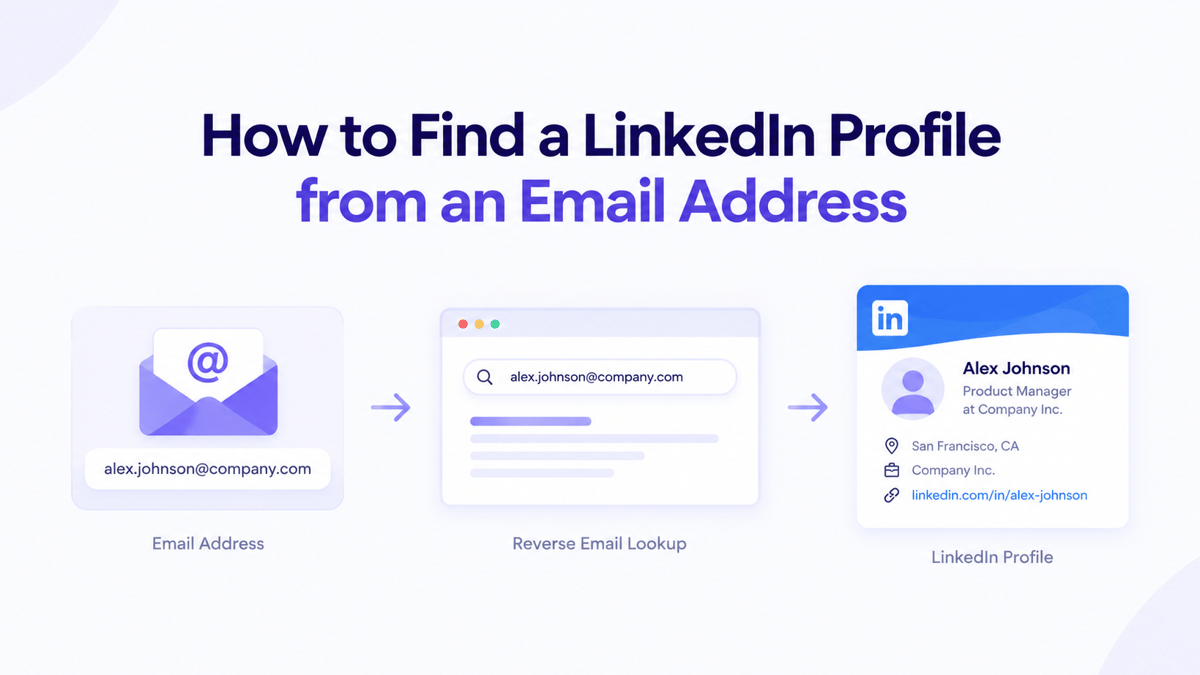
Have an email address but don’t know who it belongs to? Weather you’re analyzing or researching a potential customer, qualifying sales lead, or updating your CRM, finding the LinkedIn Profile and other professional data associated with an email address can help you understand who you’re contacting and does it worth a time to invest on them.
A reverse email lookup makes this process lot of easier by just staring with email address and searching for matching identity and professional information.
In this guide, you’ll learn how to find the LinkedIn Profile from an email address using two methods: Search email on google and with tool (API integration + Bulk CSV).
What is Reverse Email Lookup?
Reverse email lookup is the process of identifying information associated with the email. You just have to provide an email and the tool searches for a matching person.
The results may include:
Full Name
Job Title
Company
Linked Profile ID
Other Social Links
Profile Summary
The information returned depends on the email address, usually the work email may have stronger connections to publicly available professional information than personal email addresses.
Method 1: Search Email Address on Google
One of the easiest ways to find the a LinkedIn Profile is to search for the email on Google. Copy the complete the email address and search for it. For example let search for “akshat@enrichmentapi.io”.
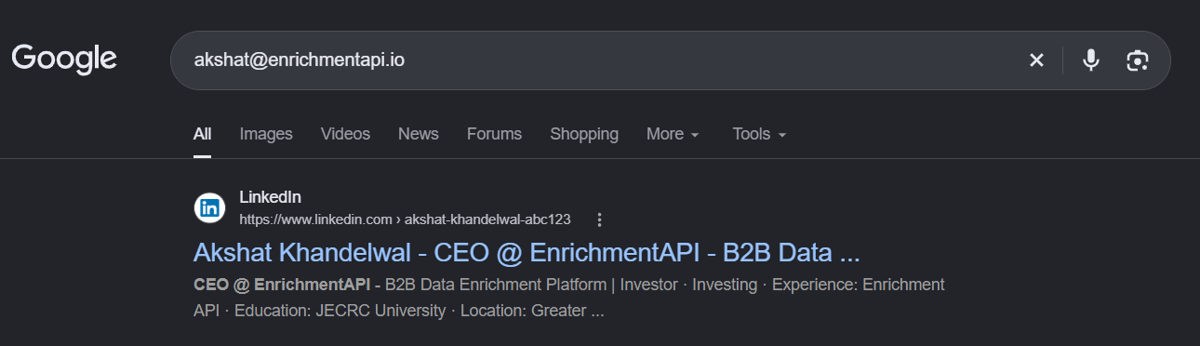
In the above image, as you can see, I entered an email in Google Search, and it returned the matching professional profile. From the results, we can gather job positions and the LinkedIn profile_url. But not every email address can be reversed by this process.
This approach works well when you need to gather information for few contacts. However, each search requires manual effort, and many email address may not indexed or directly associated with a profile and as the number of contact grows into hundreds and thousands, repeating these steps become irritating, time consuming and difficult to manage. That where the second method comes in: Reverse Email Lookup tool and APIs that can help automate the entire process.
Method 2: Using Reverse Email Lookup Tools and API
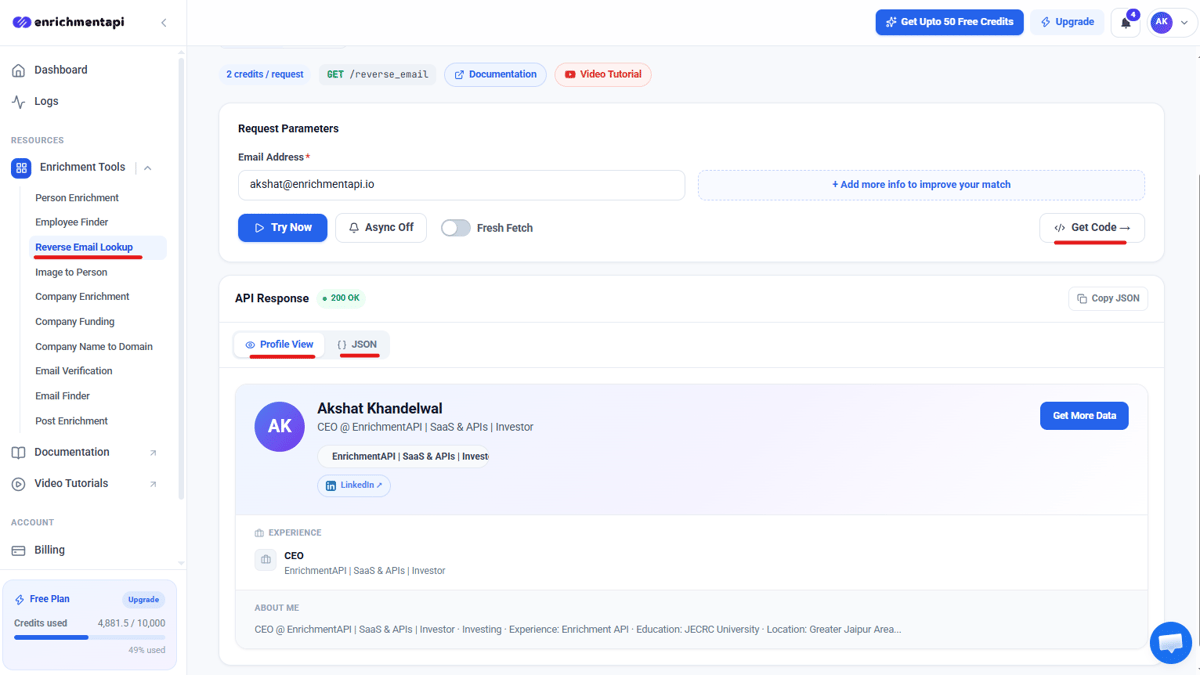
If you need to lookup email one by one or just test the tool you can test it on the dashboard. You don’t need to write a code or build an integration to perform an individual lookup.
Simply register yourself and navigate to Reverse Email Lookup. The dashboard provides an interface where you can enter an email and review the response returned by the lookup in formatted way and in JSON format.
But what if you have hundreds of email address instead of one?
EnrichmentAPI also supports bulk Reverse Email Lookup through CSV uploads. Just switch to Bulk CSV tab and upload CSV file containing emails.
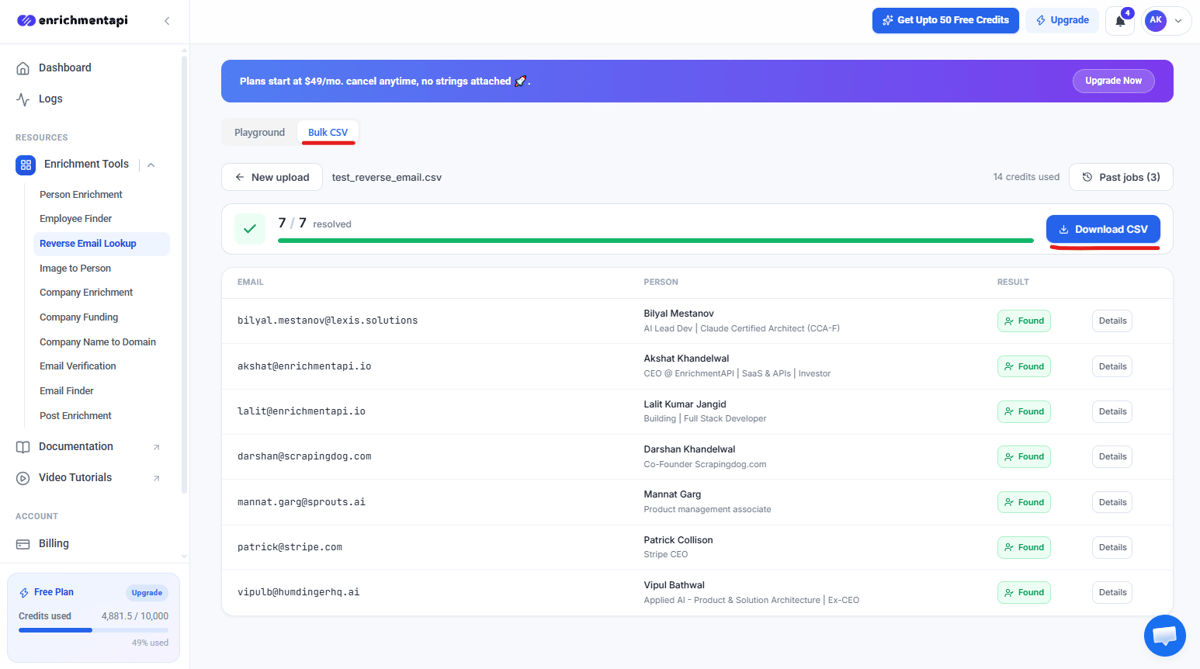
Once processing is complete, review the results in the dashboard and download the result as a CSV file.
But if you regularly need to identify contacts, manually uploading CSV files may not be the efficient way. API allows you to integrate reverse email lookup into your own application, workflows, lead enrichment, internal tools and process email address automatically.
Create or sign in to your EnrichmentAPI account and obtain the api_key from the dashboard required for your integration. Keep the api_key secure and avoid exposing it at any other public place.
From the dashboard navigate to Reverse Email Lookup and click on Get Code button to get ready to use code snippets in multiple language. Select you preferred language copy the code, add your api_key and then integrate it into your own code. You can also review EnrichmentAPI documentation for endpoint, including the required input, response structure, and error handling.
Google Search vs Bulk vs API
Feature | Dashboard | Bulk Lookups | API |
|---|---|---|---|
Best for | Individual Lookups | Existing Contact Lists | Automated Workflow |
Input | One Email | Upto 500 Emails | Emails till the credits limit reaches |
Coding required | No | No | Yes |
Results | Profile View & JSON | Review & Download in CSV | Structured JSON Response |
Workflow | Manual | Batch Processing | Integrate into your application |
Conclusion
Finding a LinkedIn profile from an email address can be useful for sales prospecting, recruitment, and contact enrichment. For a handful of email addresses, manual Google searches may be sufficient. But, when you need to process hundreds or thousands of contacts, these methods can become time-consuming and difficult to scale.
EnrichmentAPI simplifies this process with three options:
Use the Reverse Email Lookup dashboard for individual searches.
Upload a CSV file to look up multiple email addresses in bulk.
Integrate the API into your existing applications and workflows.
But identifying a person is only the first step. Once Reverse Email Lookup returns a matching LinkedIn ID, you can use EnrichmentAPI’s Person Enrichment API to retrieve additional information associated with that profile. This includes the person’s job title, experience, education, skills, profile image, and other professional details.